

Skip to content
Infigrowth
Infigrowth
  • Product
        • Growth Suite

          Rank Tracker

          Track rankings with precision

          Keyword Research

          Find high-impact keywords

          SearchSense

          Analyze search trends easily

          SEO Audit

          Monitor your website health

          Core Features

          • LLM Traffic Insights
          • AI Overview
          • AI Agents
          • AI Visibility Score
          • Share of Voice
          • SEO Health Scorecard
          • SERP Snapshots
          • Historical search trend
          • Top Landing Pages & Queries
          • Ranking difficulty score
          • E-mail Alerts

          Everything your brand needs to grow organically

          From keywords to conversions, get the insights that fuel real growth.

  • Free Tools
        • Free Resources to Help You Perform

          • SEO Extension
          • Rank Checker
          • Keyword Generator
          • Domain Age Checker
          • HTTPs Status Checker
          • Word Count
          • ROAS Calculator
          • CRO Calculator
          • CPC Calculator
          • CTR Calculator
          • CPM Calculator
          • CPA Calculator

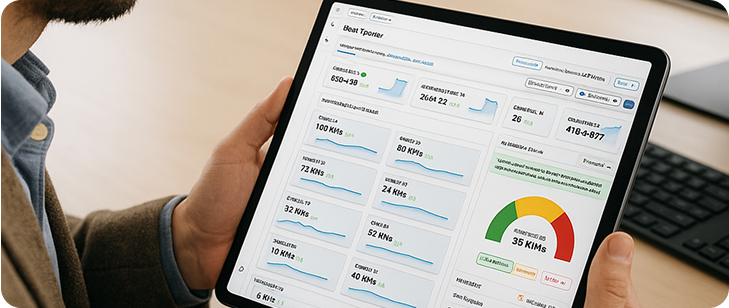
          One Powerful Dashboard. Total SEO Clarity.

          Track keywords, monitor competitors, and uncover actionable insights — all from a single, unified platform.

  • Discover
        • Get to Know Us

          • About Us
          • Blogs
          • Knowledge Base
          • Careers
          • Contact Us
          • Case Studies

          Smarter, Faster SEO Starts Here

          Boost rankings with AI-powered insights for sustainable organic growth.

Login
Contact Us
Infigrowth
Infigrowth
  • Product
        • Growth Suite

          Rank Tracker

          Track rankings with precision

          Keyword Research

          Find high-impact keywords

          SearchSense

          Analyze search trends easily

          SEO Audit

          Monitor your website health

          Core Features

          • LLM Traffic Insights
          • AI Overview
          • AI Agents
          • AI Visibility Score
          • Share of Voice
          • SEO Health Scorecard
          • SERP Snapshots
          • Historical search trend
          • Top Landing Pages & Queries
          • Ranking difficulty score
          • E-mail Alerts

          Everything your brand needs to grow organically

          From keywords to conversions, get the insights that fuel real growth.

  • Free Tools
        • Free Resources to Help You Perform

          • SEO Extension
          • Rank Checker
          • Keyword Generator
          • Domain Age Checker
          • HTTPs Status Checker
          • Word Count
          • ROAS Calculator
          • CRO Calculator
          • CPC Calculator
          • CTR Calculator
          • CPM Calculator
          • CPA Calculator

          One Powerful Dashboard. Total SEO Clarity.

          Track keywords, monitor competitors, and uncover actionable insights — all from a single, unified platform.

  • Discover
        • Get to Know Us

          • About Us
          • Blogs
          • Knowledge Base
          • Careers
          • Contact Us
          • Case Studies

          Smarter, Faster SEO Starts Here

          Boost rankings with AI-powered insights for sustainable organic growth.

Get Started

8
  • How to sign up on Infigrowth with custom email?
  • What is Infigrowth?
  • How to set up a project in Infigrowth?
  • How can I upgrade my plan?
  • How to add a user?
  • How can I change my password?
  • How can I report a bug/submit a feedback or make a feature request?
  • How to Delete a Project?

SearchSense

1
  • What is Infigrowth SearchSense?

Rank Tracker

4
  • What is the Infigrowth Rank Tracker?
  • What is Share of Voice?
  • What is keyword bifurcation?
  • How Many Locations Do We Support?
View Categories
  • Home
  • Knowledgebase
  • Get Started
  • How to set up a project in Infigrowth?

How to set up a project in Infigrowth?

2 min read

There are multiple ways to create projects in Infigrowth:

  1. During the onboarding process.
  2. By clicking on the ‘Create Project’ option on your dashboard.

1) During the onboarding process #

Steps to create a project while onboarding 

  1. After you purchase a plan, you will be able to see the onboarding screen on the Infigrowth app.
  2. Start by entering your website that you wish to set up the project for and then click on the  ‘Add Website’ button.

  3. When you enter the website, the tracking type is automatically selected. You can change the tracking type as required.

  4. In the next step, you need to create a campaign based on your requirements. You can select the tracking device and location to create a campaign.

  5. You can create more campaigns for different devices and locations by clicking on the ‘Create More Campaigns’ option or click on ‘Proceed to Adding Keywords’ button to continue.

  6. Our AI feature suggests the most relevant keywords to you based on the content of your website.

  7. There are three ways through which you can add the keywords
  • AI suggested Keywords

  • Manual keywords

  • Bulk Upload

  1. Once the keywords are added, you can go to the next step by clicking on the ‘Start Tracking Keywords’ option.

  2. Our AI feature also suggests competitors for your website which you can add to compare and analyze your rankings with them. 

You can either click on ‘Skip for Now’ or ‘Track My Competitors’ button to continue.

  1. Finally, you can connect your Google Analytics and Search Console accounts to further unlock insightful data to improve your SEO efforts. Or you can click on ‘Save & Go to Dashboard to view your Rank Tracker reports.

2) By clicking on the ‘Create Project’ option on your dashboard. #

Step to create a project from the dashboard using the ‘Create Project’ option.

  1. You can create a new project by clicking on the ‘My Projects’ option on the top section of the dashboard.

  2. After this you can click on the ‘Create Project’ option. You will see the same project creating section as mentioned above and you can follow the same steps as above. 
Updated on April 9, 2025

What are your Feelings

  • Happy
  • Normal
  • Sad

Share This Article :

  • Facebook
  • X
  • LinkedIn
  • Pinterest
What is Infigrowth?How can I upgrade my plan?

Leave a Reply Cancel reply

Your email address will not be published. Required fields are marked *

Table of Contents
  • 1) During the onboarding process
  • 2) By clicking on the ‘Create Project’ option on your dashboard.

Need a live product demo from our dedicated SEO expert?

  • Location

8, The Green STE, R Dover, DE 19901.

Features

  • Rank Tracker
  • SearchSense
  • SEO Extension
  • SEO Audit
  • Keyword Generator
  • Website Links Counter
  • Rank Checker
  • Enterprise Rank Tracker
  • Weekly Rank Tracker
  • Mobile Rank Tracker
  • Daily Rank Tracker

Company

  • About Us
  • Career
  • Terms & Conditions
  • Privacy Policy
  • Cookie Policy
  • Content Policy
  • Recruitment Policy
  • Data Processing Policy
  • Security Measures Policy

Free Tools

  • CPC Calculator
  • ROAS Calculator
  • Conversion Rate Calculator
  • CPA Calculator
  • CTR Calculator
  • CPM Calculator
  • Keyword Density Checker
  • HTTPs Status Tracker
  • Domain Age Checker
  • Word Counter
  • Website Links Counter

Competitive Edge

  • Vs SE Rankings
  • Vs RankWatch
  • Vs Semrush

© 2026 Infigrowth. All rights reserved.